Mobile app test
All sports and casino in one app
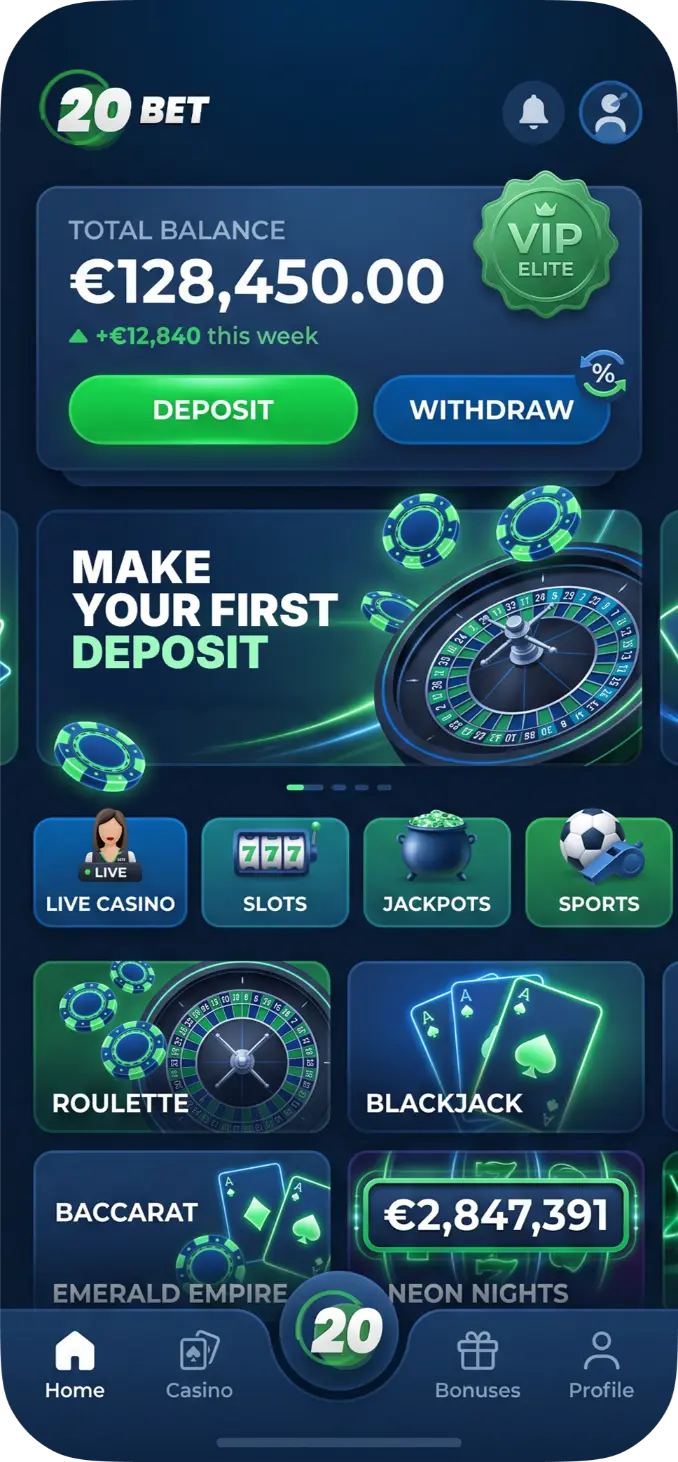



Scan the QR code and follow the download link
Not available in your region?
Download PWA
WHY PWA
-

Skip the App Store
Install straight from your browser in under a minute. No downloads, no waiting.
-

Always Up to Date
Every update lands automatically. You're always using the newest version.
-

Zero Storage Waste
No bulky files, no clutter. The 20Bet PWA takes next to no space on your phone or tablet.
-

Works on Everything
iOS, Android, desktop—one app, every device you own. Bet anywhere, anytime.
Install the app in 3 steps
Choose your device and follow along—it takes less than a minute!
-
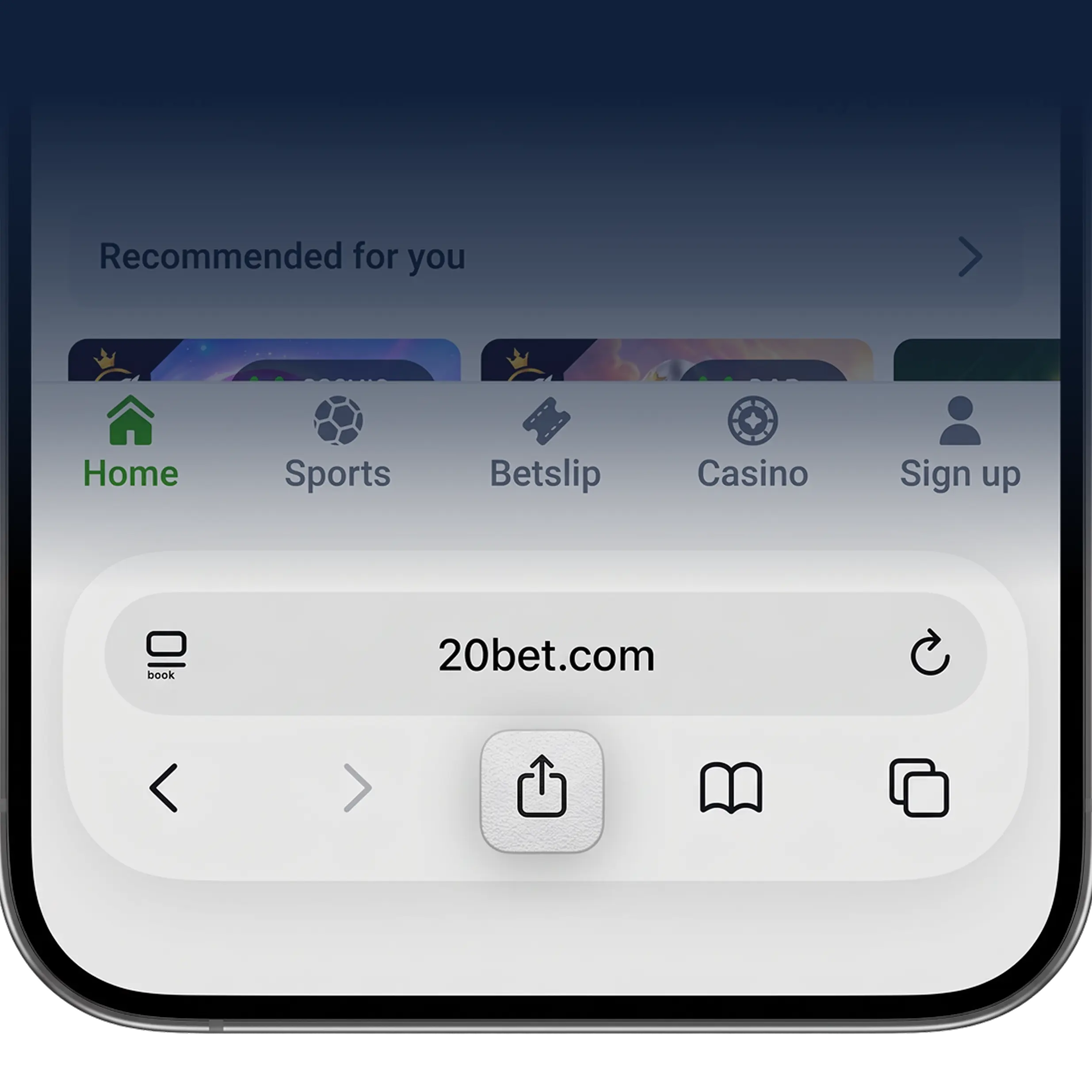
Open in Safari
Head to 20bet.com in Safari and tap the Share icon at the bottom of the screen.
-
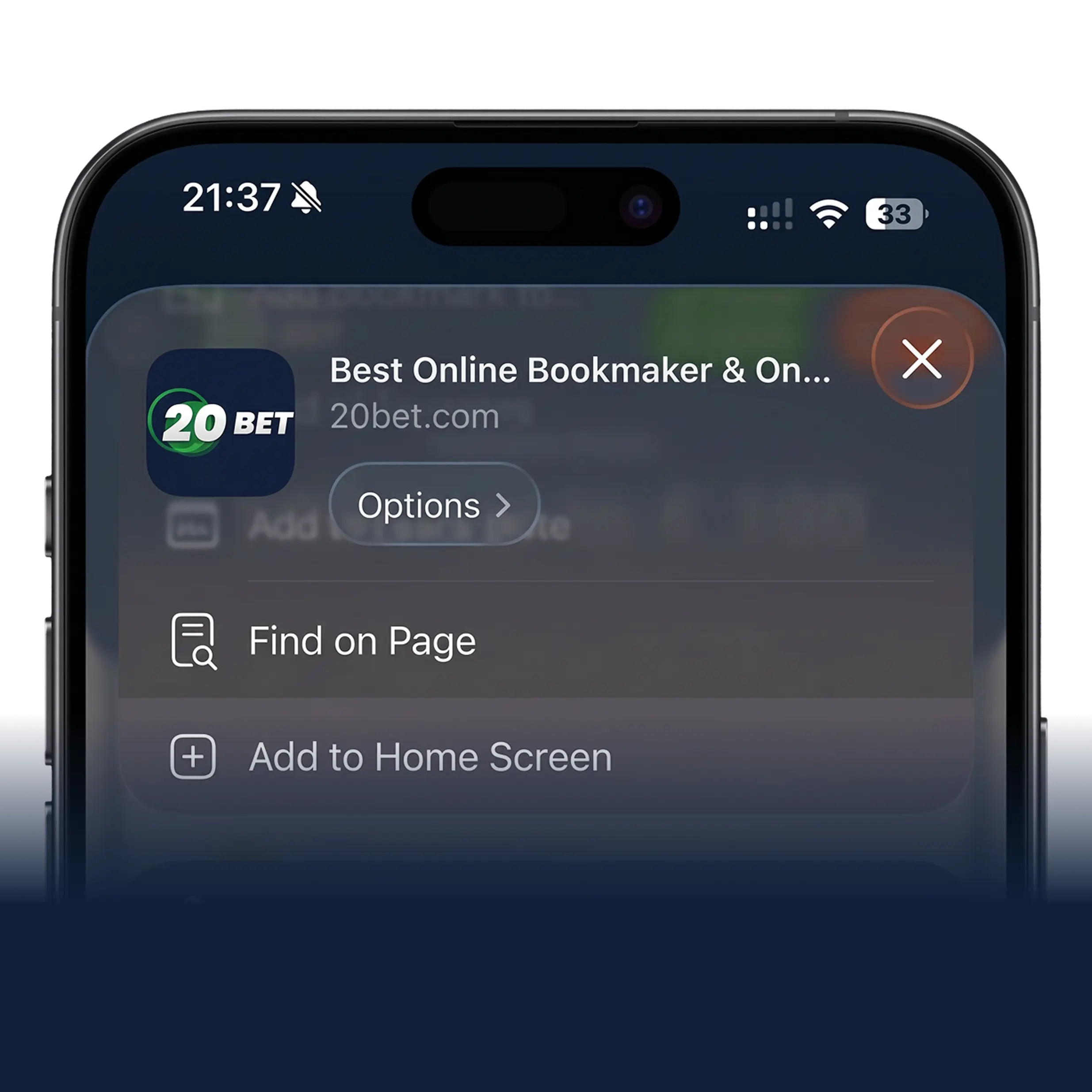
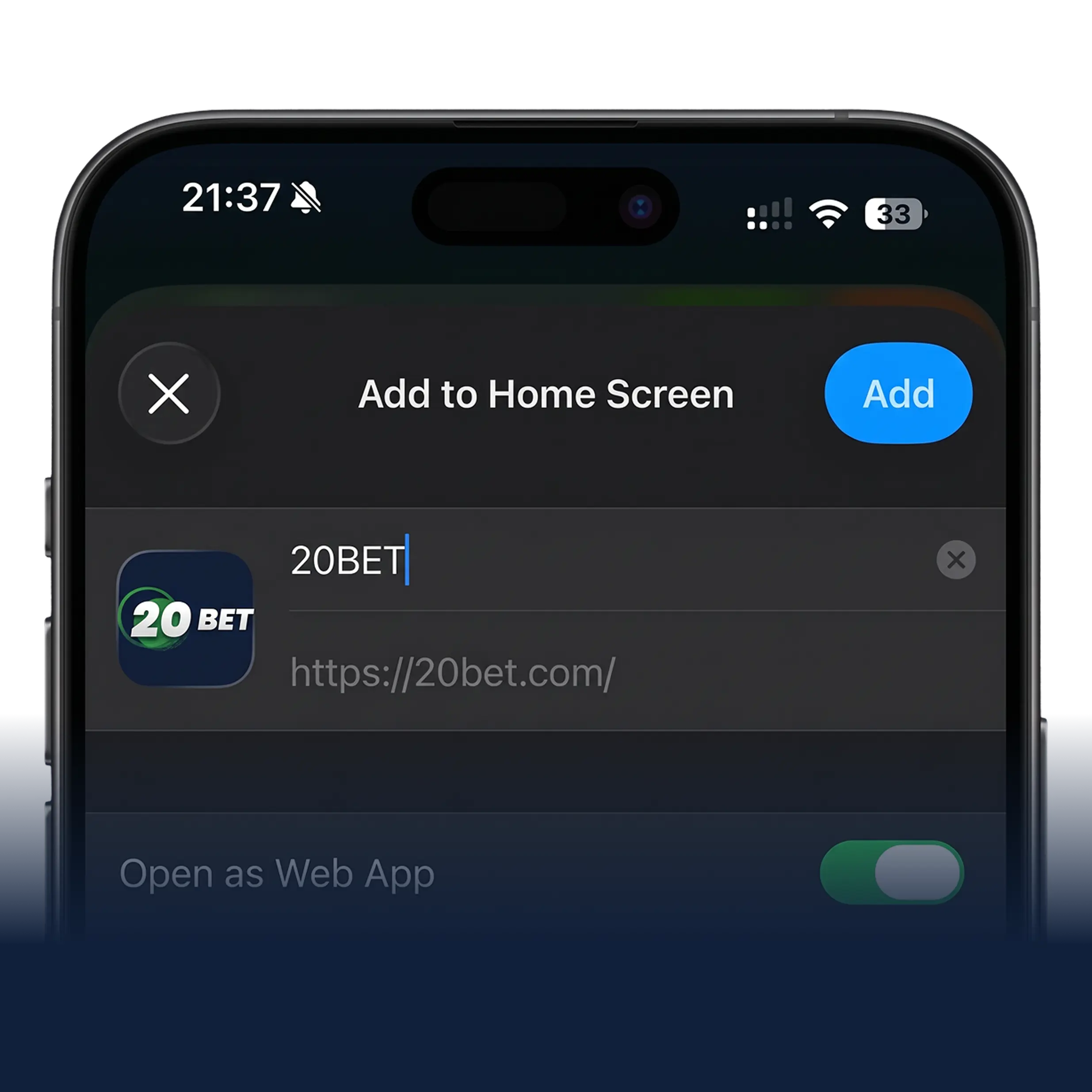
Add to Home Screen
Scroll down the menu and select "Add to Home Screen."
-
Confirm and play
Tap "Add" in the top corner. The 20Bet icon lands on your home screen, ready to launch.
-
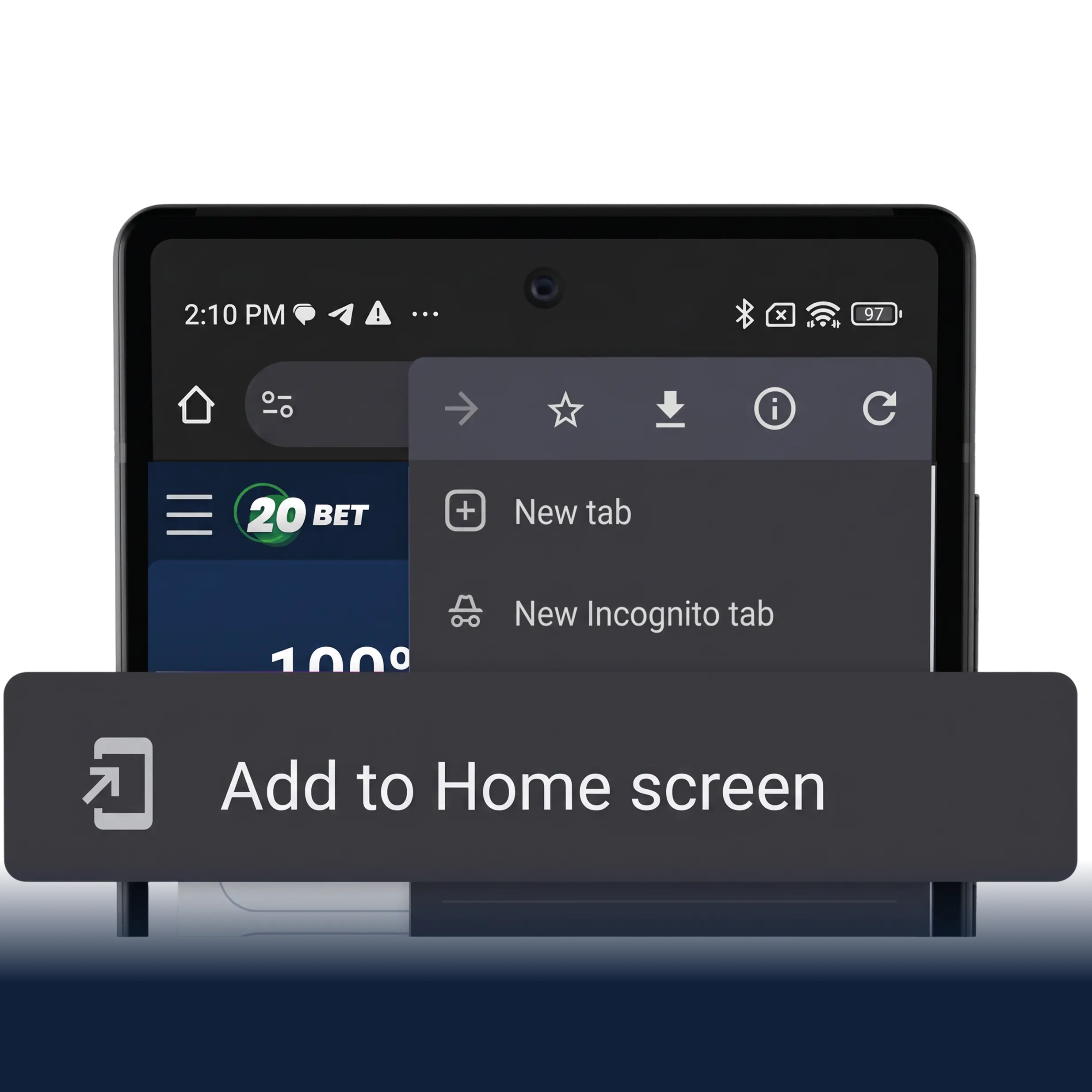
Tap Add to Home
Open 20Bet in your mobile browser and tap "Add to Home screen."
-
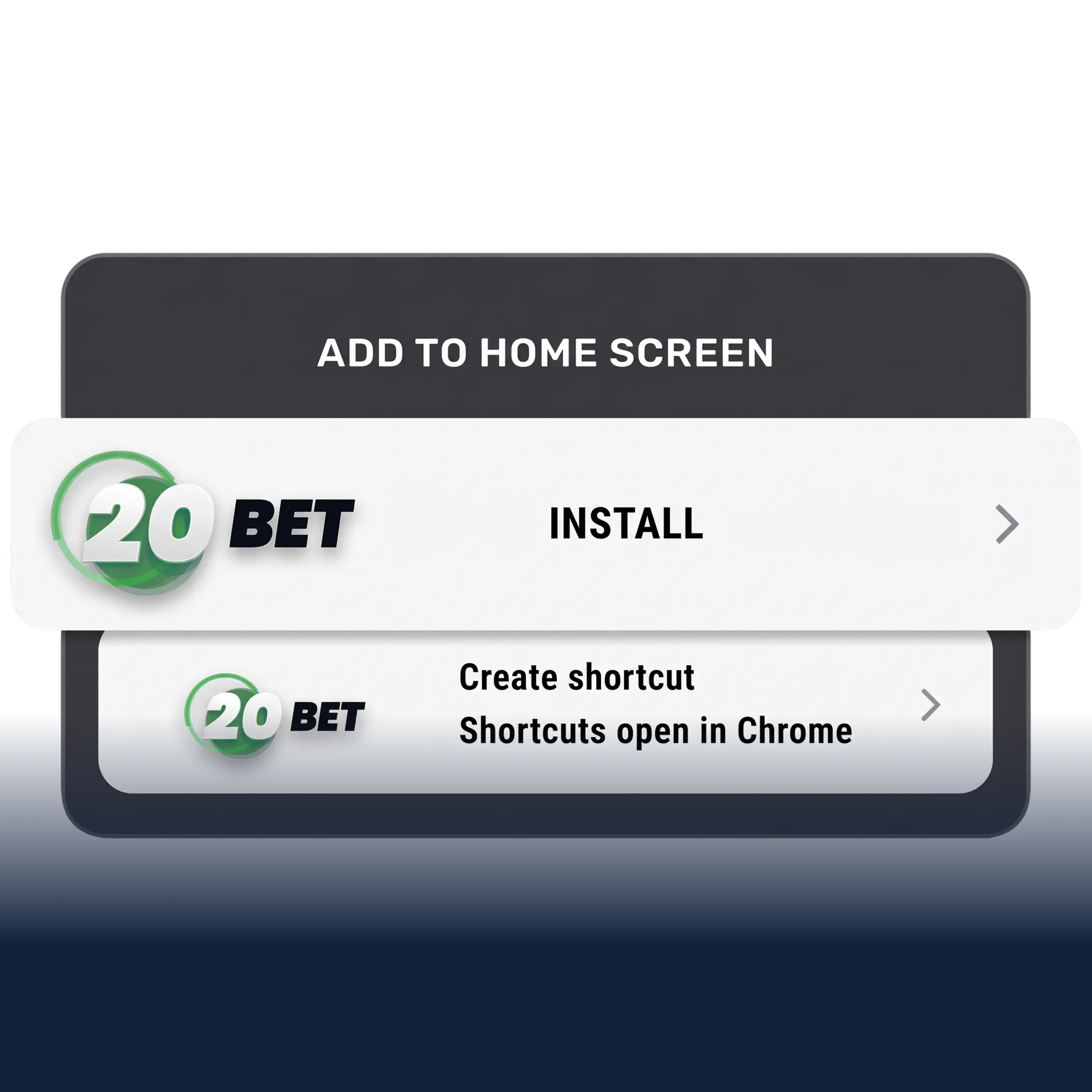
Tap Install
When the prompt appears, confirm by tapping "Install."
-
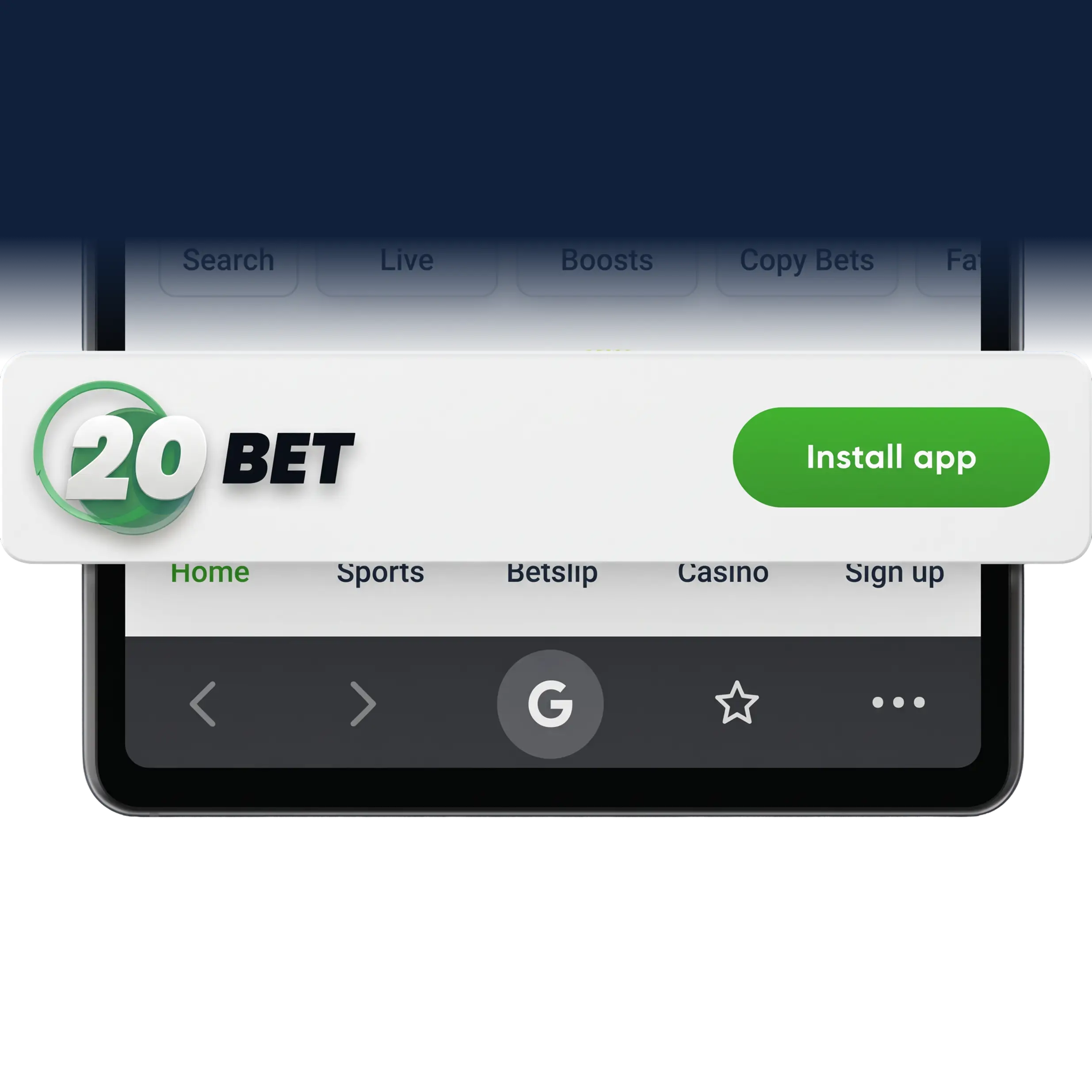
You're In
The 20Bet icon appears on your home screen—open it anytime, just like a native app.
THE FULL EXPERIENCE, IN YOUR POCKET
Same account. Same features. Built to fit in your pocket.
-

Live Sports Betting
Thousands of events across dozens of sports, with real-time odds and live betting.
-

Casino & Live Tables
From spinning slots to live-dealer tables, top-tier providers keep the action ready whenever you are.
-

Fast Deposits & Withdrawals
Cards, e-wallets, bank transfers, and crypto. Secure payments in a few taps.
-

Push Notifications
Stay ahead with instant alerts on upcoming events, new features, and account updates—never miss a thing.
-

Full Account Sync
Your balance, bets, and history move with you—one account, perfectly synced across every device.
-

Safe and Secure
Every click, bet, and deposit is shielded by strong SSL encryption, start to finish.
FAQ
A Progressive Web App runs straight from your browser but looks and feels like a native app—no downloads, no install file.
Yes. It runs on the same SSL encryption and security standards that protect the desktop site.
Any modern smartphone, tablet or desktop —iOS, Android, and beyond.
Automatically. Every time you open the app, you're on the latest version.
Absolutely—log in with your usual details and pick up right where you left off.
Just a few megabytes—far less than a typical app store download.
Yes, exactly the same. The app mirrors the full desktop site in real time.
Make sure you're using Safari on iOS or Chrome on Android, then try the steps again—or reach out to support for a hand.